Conversational Messaging Platform: How to Choose the Right One for Your Business
Learn what a conversational messaging platform is and how EZ Texting helps small businesses send two-way text messages that build stronger customer relationships.


- Conversational messaging platforms turn business texting into a two-way exchange, giving customers a direct way to ask questions, respond, and take action.
- Broadcast SMS and conversational messaging serve different goals, and businesses can use both to balance broad reach with individual customer engagement.
- The right conversational messaging platform combines two-way inbox management, automation, contact tools, compliance support, and channel flexibility in one place.
Key Features to Look for in a Conversational Messaging Platform
Two-way messaging is the starting point, but the platform behind it determines how manageable those conversations are as your contact list grows. Look for tools that help you organize replies, automate repeatable interactions, manage contacts, handle compliance, and communicate across the messaging channels your customers use.
Two-Way Inbox Management
Once customers start replying, you need a practical way to keep up. A centralized two-way inbox brings incoming messages into one place, so you can respond without digging through separate threads or losing track of an open question.
Look for conversation threading and contact history that show you what has already been discussed. Read and unread indicators make new replies easier to spot, while conversation assignments help the right person take ownership of follow-up. These details become especially useful as more customers start initiating the conversation and texting your business.
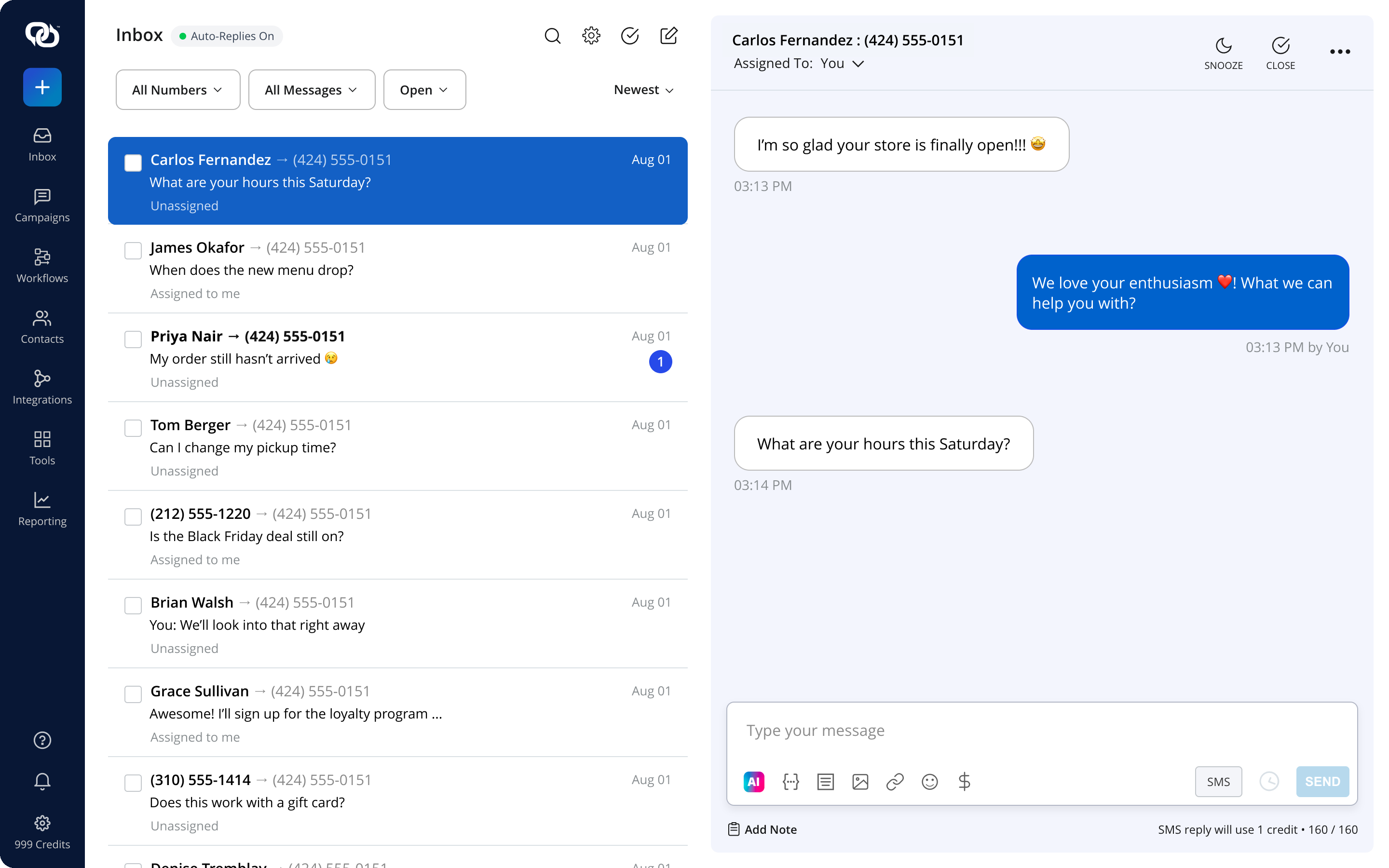
The EZ Texting two-way inbox brings every reply into one place, with conversation threading, read and unread status, and assignments. Automation and Keyword Triggers
You can’t have (and don’t need) someone watching the inbox all day to start every conversation. Automation in texting platforms can trigger replies based on a customer’s actions, the keyword they text, or when a message is received.
For example, a customer could text HOURS to get your business hours or BOOK to start an appointment flow. Keywords can also help customers opt in or request specific information so that they have a clear way to start the exchange themselves.
EZ TextingWith EZ Texting, you can build keyword-based responses and schedule follow-up messages to keep common conversations moving. Your staff can spend more time on the replies that actually need a personal response.
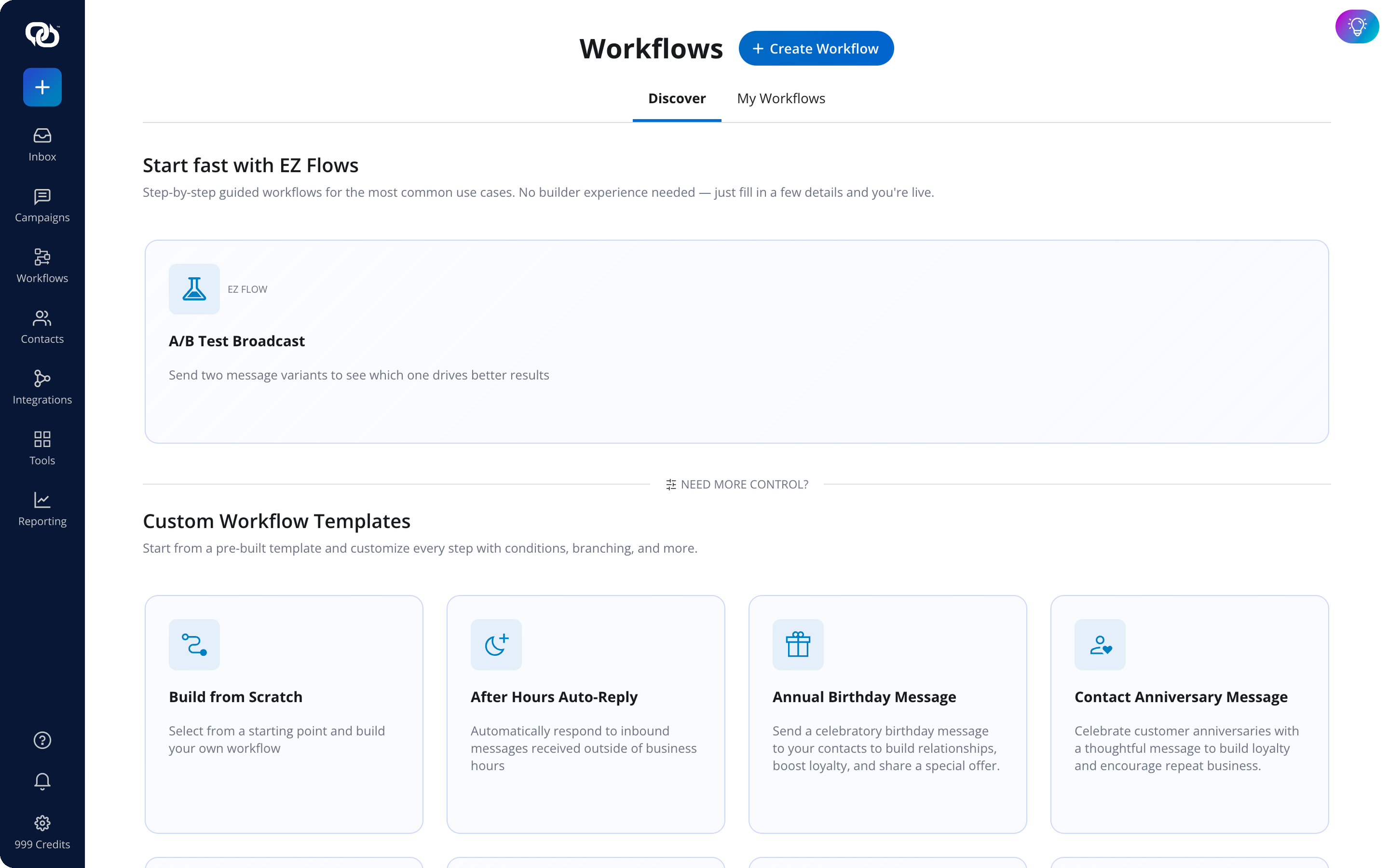
EZ Texting Workflows and EZ Flows let you set up auto-replies and multi-step sequences from ready-made templates. Contact Management and Segmentation
A good conversation starts with knowing who you’re talking to. Contact management tools help you keep subscriber information and opt-in records organized, then group contacts based on details such as interests, preferences, or past interactions.
Those segments give you more control over the messages customers receive. A salon could send different follow-ups to regular clients and people who haven’t booked in six months. A retailer could tailor conversations based on product interests. With better-organized contact data, your messages can feel more relevant to the person reading and replying to them.
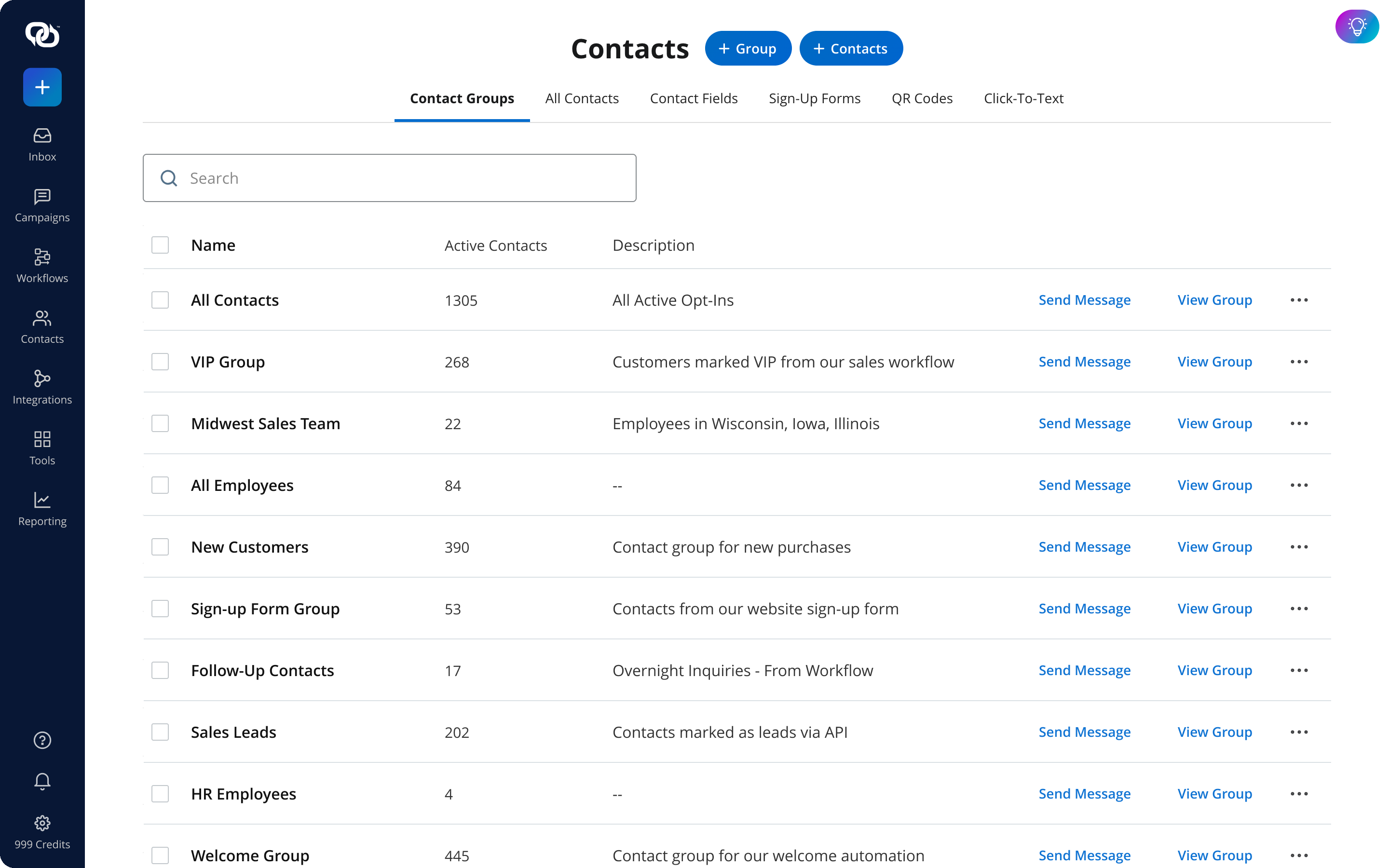
EZ Texting contact management keeps subscriber details and opt-in records organized, with segments based on interests, activity, and history. Compliance and Opt-In Management
A customer replying to your texts doesn’t remove the compliance rules that apply to business messaging. You still need the proper consent to send marketing texts and a clear way for contacts to opt out when they no longer want messages.
Your platform should help you keep consent records organized and automatically process standard opt-out requests, such as STOP.
EZ TextingEZ Texting builds compliance support into the platform so that it’s easy to manage opt-ins and opt-outs as conversations grow. That means following TCPA requirements, less manual tracking, a clearer record of who has agreed to receive your messages, and total confidence from your first launched campaign.
Multi-Channel Support
Not every conversation calls for the same type of message. A conversational messaging platform that supports multiple channels, including SMS, MMS, and RCS, gives you more ways to shape the exchange around what you’re asking customers to do. It should also handle fallback automatically. If a contact can’t receive an RCS message, for example, the message can be delivered as SMS instead. You get more flexibility without sorting customers by device or carrier yourself.
How to Choose the Right Conversational Messaging Platform
As you compare your options for conversational messaging platforms, focus on the features you’ll use day-to-day and how quickly your staff can put them to work.
Ease of Use
The beauty of a quick text is that most of your staff knows exactly what that looks like — they shouldn’t need weeks of training to send a text. However, the user experience of the platform can affect how easily they incorporate texting into their business. Look for clear navigation and an interface that makes everyday messaging tasks easy to find.
A free trial is the best time to put that experience to the test. Upload a contact list, compose a message, and set up a simple campaign without outside help. If basic tasks already feel complicated, like creating and maintaining a client list, managing a growing volume of customer conversations probably won’t get any easier.
Channel and Feature Coverage
Start with the channels your customers already use. SMS and MMS give most small and midsize businesses a strong foundation, while RCS can add richer interactions for customers on supported devices.
Then look at the tools you’ll need to manage those conversations. Two-way inbox management, keyword automation, contact segmentation, compliance support, and basic reporting should cover the day-to-day needs of many businesses. Check what’s included in each plan before paying for advanced features you may rarely touch. A shorter feature list that fits how you actually communicate can be far more useful than an enterprise package packed with extras.
Compliance Support
Compliance tools should be part of your platform evaluation, not something you figure out after your first campaign goes live. In the U.S., the TCPA sets requirements for business text messaging, and violations can carry costly penalties.
Ask potential providers how they handle opt-outs and consent records. Look for automatic processing of standard opt-out keywords and tools that help you track who has agreed to receive messages. This way, you don’t have to manage TCPA requirements manually—this kind of task is often the last thing on your to-do list. EZ Texting builds compliance support and opt-out management into its platform, so you can spend less time manually tracking these requirements as your conversational messaging strategy grows.
Pricing and Scalability
Don’t compare platforms by monthly price alone. One provider may charge by message, another by conversation, while another bundles a set volume into a monthly subscription plan. Estimate how many texts you expect to send and how often customers are likely to reply, then compare the total cost at that usage level.
Think a few steps ahead, too. If your contact list is growing, check how pricing changes as message volume increases and how easy it is to move between plans. A free trial gives you a chance to test the features, but the pricing model should still make sense once more customers start texting back.
Integration with Existing Tools
Every time customer information changes in one system but not another, you create more cleanup work. Connecting your conversational messaging platform with your CRM, ecommerce platform, or scheduling software can keep contact details current and make it easier to use that information in your messaging.
Before choosing a platform, make a short list of the tools your business relies on most and check for native integrations. EZ Texting connects with popular business tools so that you can bring conversational messaging into the processes you already use. Pay attention to integrations that require paid third-party connectors, since those can add another cost and another tool to manage.
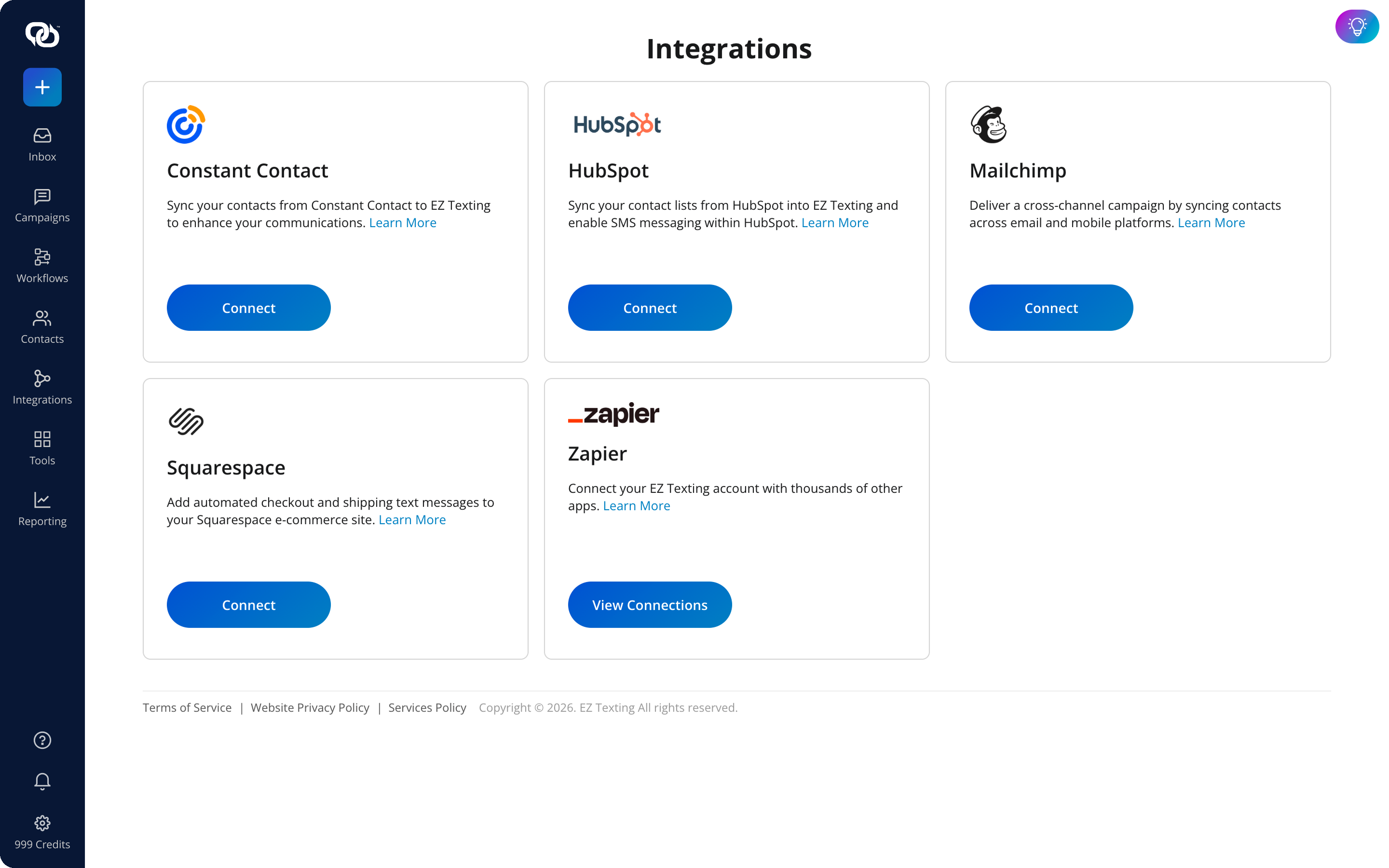
The EZ Texting Integrations screen, where you connect tools like HubSpot, Mailchimp, and Zapier to keep contacts in sync and automate messaging.
See other related to Features:
See other related to Use Cases:
See other related to Topics:
