How to Set Up SMS Marketing for Your Business: A Complete GuideView as Markdown
Ready to set up SMS marketing the right way? This complete guide walks through choosing a platform and sender type, configuring compliance, building templates and automations, and launching a first campaign that performs.
- SMS (text) marketing setup is an accessible, step-by-step process that small and midsize businesses can complete quickly without technical expertise, if you do it right from the beginning.
- Key components include compliance, sender configuration, opt-in collection, and automation, and getting these correct up front is what separates programs that grow and perform from those that plateau or generate high opt-out rates.
- Businesses already using EZ Texting for other marketing tools are well-positioned to complete their SMS marketing setup quickly and launch a first campaign within days of signing up.
What You Need Before Setting Up SMS Marketing
Before setting up an SMS marketing program, you need to define your primary goal for the channel. You can have more than one goal, such as driving repeat purchases, increasing revenue, reducing no-shows, recovering abandoned carts, growing your customer list, or building customer loyalty, but you should always select one goal to be your main purpose for each SMS marketing effort. This goal determines every subsequent setup decision including message types, audience segments, and automation triggers.
You also need a clear understanding of your target audience. Be as specific as possible: Age and other demographic information, income level, location, spending habits, preferred communication methods… everything you can define will help you understand your customer better and build a better SMS marketing strategy.
And always remember, SMS marketing requires explicit opt-in consent from every contact, by federal law.
Step 1: Choose Your SMS Marketing Platform
Selecting the right SMS marketing platform is the most foundational setup decision, and determines everything else about how your program will function. Your SMS platform is the infrastructure that handles message delivery, contact management, compliance automation, analytics, and two-way communication, and choosing the right one eliminates the need for technical resources or custom development.
EZ Texting is built specifically for non-technical users and provides all the core features small and midsize businesses need to set up and run a complete SMS marketing program, including fast onboarding that gets businesses to their first send without a complicated and lengthy configuration process.
Step 2: Select and Register Your Sender Type
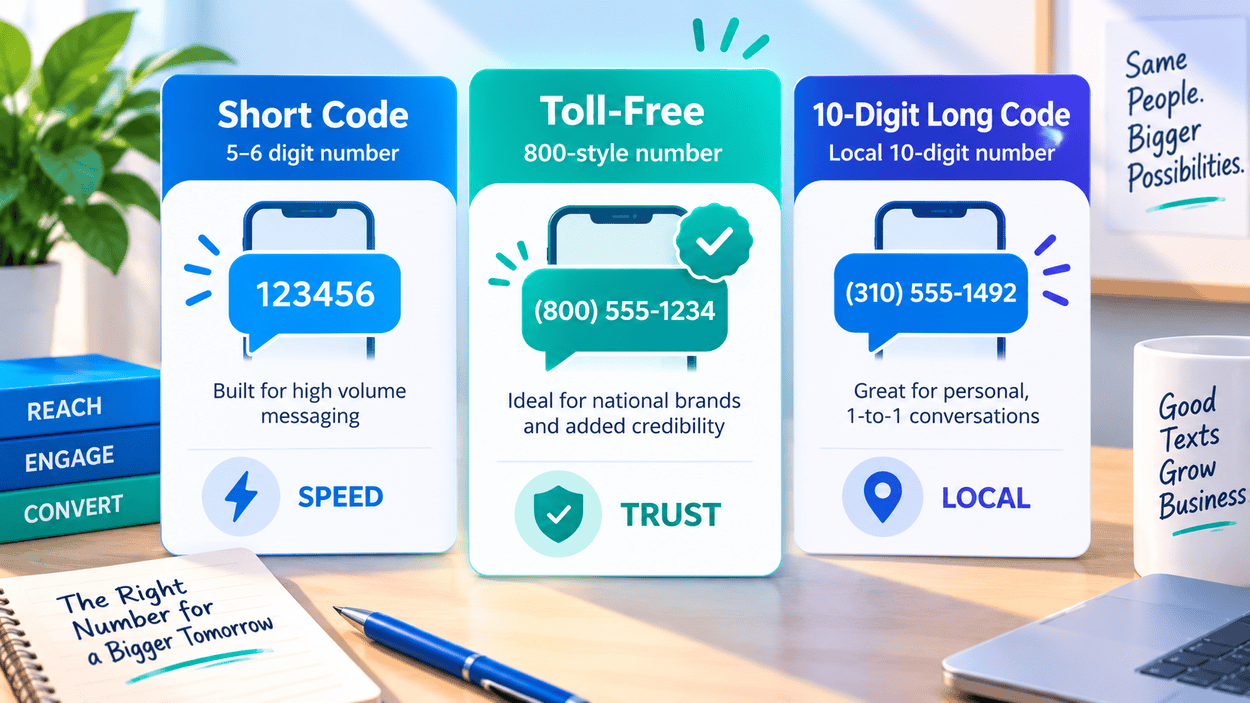
Next, you need to decide which sender type makes the most sense for your business volume and campaign goals. Businesses sending SMS marketing messages need a registered sender type (rather than a personal phone number). Choosing the wrong sender type can affect deliverability, message throughput, and carrier filtering. The most common sender types for business SMS include short codes, toll-free numbers, and 10-digit long codes, each with different carrier approval requirements, volume capabilities, and appropriate use cases. Let’s go over each briefly.
Short Codes
Short codes are four- to six-digit numbers preapproved by carriers for high-volume promotional sending and are the strongest choice for businesses running frequent large-scale campaigns where deliverability and speed are the top priorities.
Toll-Free Numbers
Toll-free numbers are ten-digit numbers beginning with 800, 888, or similar prefixes that are registered for business SMS use and offer a good balance of deliverability and conversational capability for small to midsize businesses.
10-Digit Long Codes
Ten-digit long codes, also known as 10DLC, are standard ten-digit phone numbers registered through the A2P 10DLC system for business messaging. They are best suited for lower-volume sends and conversational messaging rather than high-throughput promotional campaigns.
EZ Texting fully supports short code, toll-free, and 10DLC registration and guides you through the process to ensure your messages reach recipients without being flagged by carrier filters.
Step 3: Configure Your Compliance Settings
TCPA (Telephone Consumer Protection Act) compliance is a legal requirement for all businesses engaging in SMS marketing in the United States and it must be built into the platform setup before any messages are sent. This includes opt-in documentation, opt-out automation, and send-time controls.
EZ Texting’s built-in compliance tools automate opt-out processing so that contacts who reply STOP are immediately removed from future sends, consent records are maintained securely, and send-time restrictions are enforced to keep every campaign within the legally required 8am to 9pm window in the recipient’s local time zone.
Step 4: Set Up Your Keyword Opt-In
A keyword opt-in system is usually the best list-building mechanism for small-to-midsize businesses’ SMS marketing programs. A keyword opt-in allows customers to join a business’s SMS list by texting a specific word to a short code or long code, demonstrating their intent to “opt in” to being placed on an SMS marketing list. This method is one of the most effective and frictionless ways to grow a subscriber list because it can be promoted across every existing marketing channel simultaneously, and is relatively frictionless compared to having to fill out a form on a webpage or other methods.
Step 5: Import and Organize Your Contacts
Before importing any contacts into the SMS marketing platform, you must confirm that every number on your list has given explicit written consent to receive SMS messages. Importing contacts who have not opted in, even if they are current/previous customers of yours, is both a TCPA violation and a fast path to high opt-out rates and carrier filtering issues.
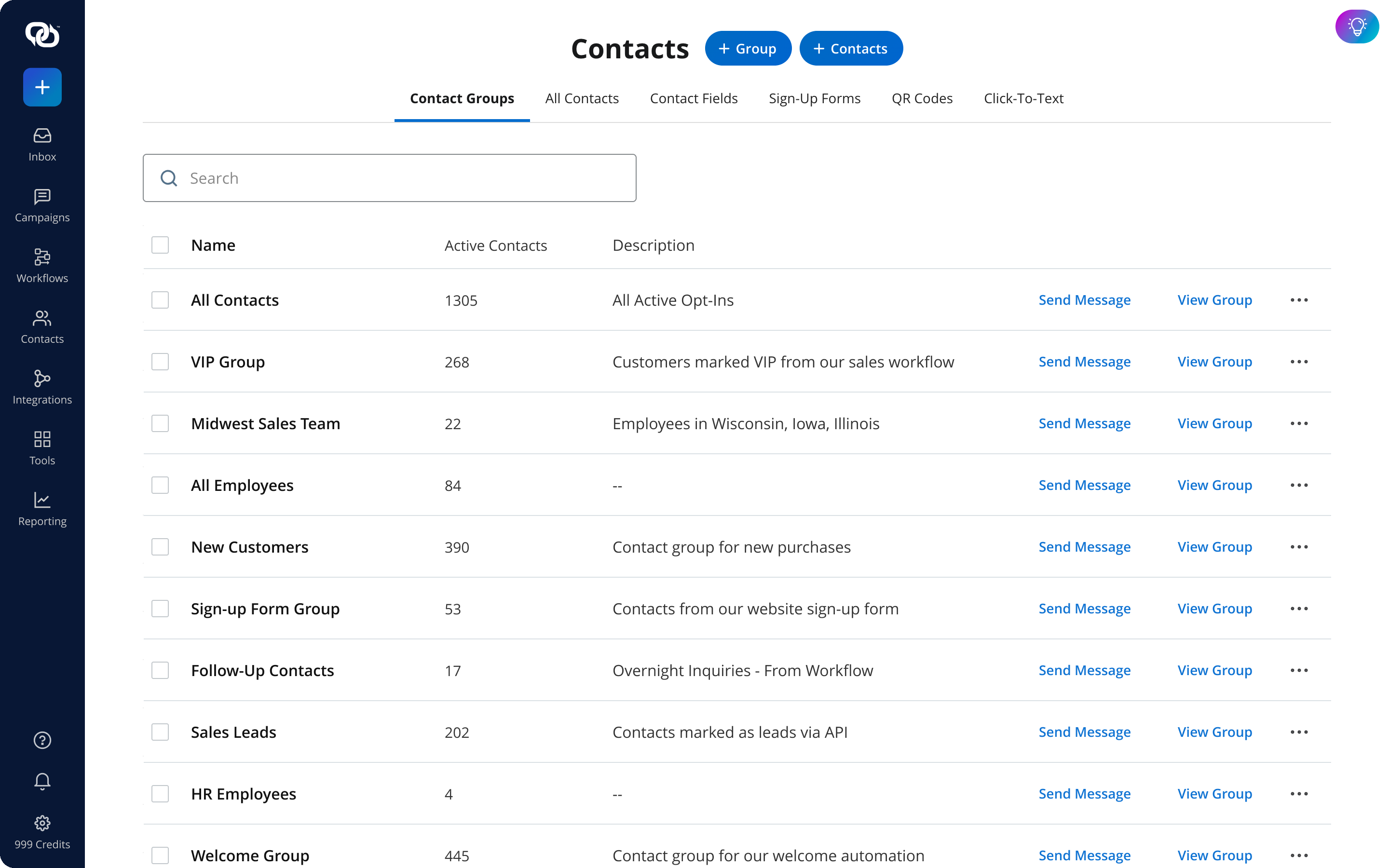
EZ Texting’s contact management tools make it straightforward to import contacts from a spreadsheet or CRM, organize them into lists and segments, and maintain accurate opt-in status records for every subscriber on the list.
Step 6: Create Your Message Templates
It’s helpful to develop a library of reusable message templates before and during setup so you save significant time during campaign execution. You can also ensure that every message maintains consistent brand voice, compliance language, and structural quality regardless of who on the team is drafting the send in the future.
Every SMS template should ideally follow the same core structure: identify the sending business by name, deliver the core message or offer clearly and concisely within 160 characters (and the sooner the better), include a single call to action with a direct link to the relevant destination, and close with opt-out instructions. Here are a few options to consider (make appropriate changes as needed for your business):
Welcome Message Template
The welcome message is the most important template to create during setup because it is the first message every new subscriber receives. They’ve actively signed up to receive it and are expecting it. This message sets the tone for the entire SMS relationship.
Promotional Message Template
Promotional templates should be built around the core structure of the offer, including a hook that communicates the value immediately, a clear expiration or urgency element, and a direct link to the product or landing page, with the business name at the start and opt-out instructions at the end.
Transactional Message Template
Transactional messages power automated workflows for order updates, appointment reminders, and other operational communications. Transactional templates should be concise, informative, and clearly connected to the specific customer action or event that triggered the message, such as an order confirmation, a shipping update, or an appointment reminder, so the recipient immediately understands the context without needing to read the full message.
Step 7: Configure Your Automation Workflows
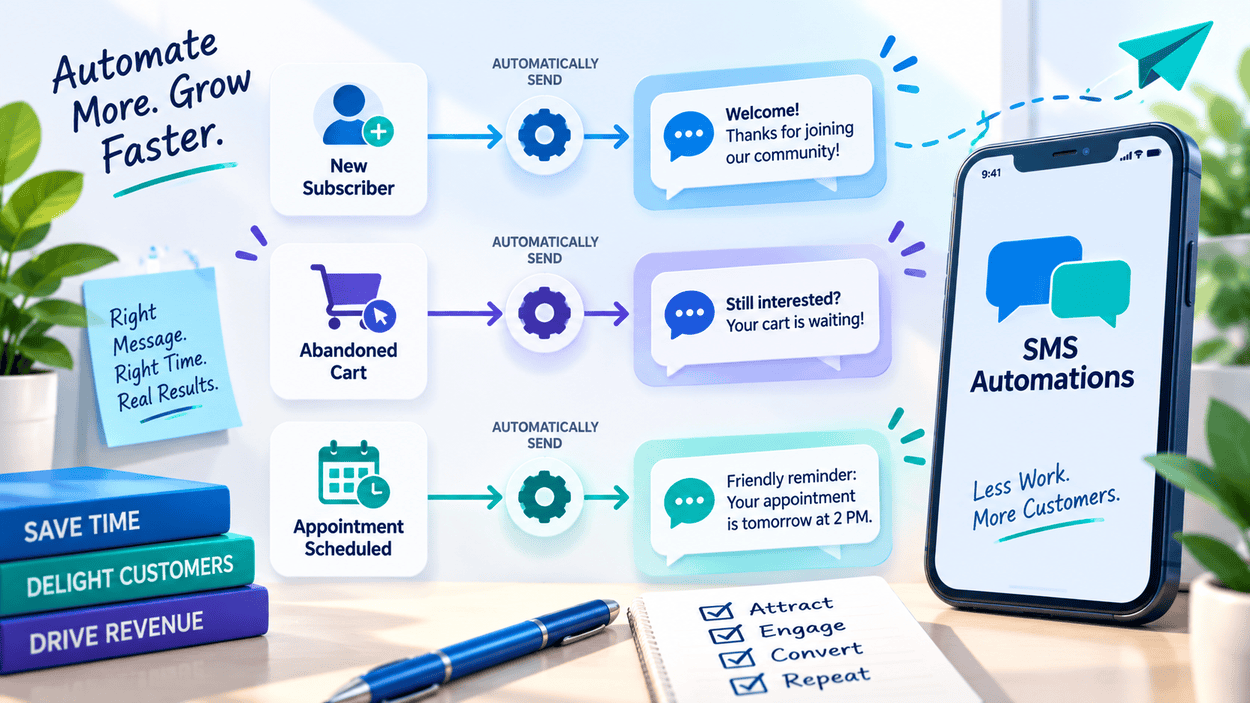
Automated message sequences run in the background and deliver timely, relevant messages without requiring manual sends for every customer interaction. These are triggered based on customer actions, scheduled dates, or predefined time intervals, enabling businesses to deliver the right message at the right moment without monitoring everything individually.
The most valuable automation workflows to configure during setup include a welcome sequence for new subscribers, abandoned cart reminders for eCommerce businesses, appointment reminders for service businesses, order and shipping notifications for retailers, and birthday or other milestone messages for loyalty programs.
Welcome Sequence
A welcome sequence typically consists of two to three messages spread over the first week after opt-in, beginning with an immediate confirmation and incentive message (example above), followed by a second message that introduces the type of content subscribers can expect, and optionally a third message that encourages the subscriber to engage with a specific call to action.
Abandoned Cart Automation
Abandoned cart recovery automation is one of the highest-ROI workflows available in SMS marketing. These messages are triggered when a customer has added items to their cart but left without completing the purchase, typically sent within 30 to 60 minutes of abandonment when the customer is most likely to reconsider and return.
Configuring the abandoned cart automation during setup using EZ Texting’s automation tools allows you to automatically send recovery messages from the first day the program goes live without requiring manual monitoring of cart activity.
Appointment Reminder Automation
Appointment reminder automation sends a confirmation message when a booking is made and a reminder message 24 to 48 hours before the scheduled appointment, giving customers enough time to confirm, reschedule, or cancel without creating last-minute disruptions for the business.
Including a reply keyword in the reminder message, such as “Reply C to confirm or R to reschedule,” turns a one-way reminder into a two-way exchange that gives the business actionable confirmation data without requiring manual follow-up calls.
Step 8: Test Everything Before Launch
Testing every component of your SMS marketing setup before the first live send is the most important quality-control step in the entire process. Catching errors in message content, link functionality, automation triggers, and compliance settings before launch prevents issues that could damage subscriber trust or generate compliance violations.
Thoroughly review the full setup checklist before going live, confirming that the sender type is registered, compliance settings are configured, keyword opt-in is active, contact segments are organized, templates are finalized, and all automation workflows are enabled and tested.
Step 9: Launch and Monitor Your First Campaign
Your first live campaign should be a focused, well-timed send to a clearly defined audience segment rather than a full-list blast, giving you a limited, controlled environment to observe how your setup performs before scaling to larger sends.
You can use EZ Texting’s analytics dashboard to track first-campaign performance and compare results against the goals defined during setup, using that data to inform the second campaign and begin building the optimization cycle that improves program performance over time.
Set Up SMS Marketing the Right Way with EZ Texting
Setting up SMS marketing correctly comes down to the nine clear steps we’ve covered above: choosing a platform, selecting and registering a sender type, configuring compliance, setting up keyword opt-ins, organizing contacts, creating message templates, configuring automation workflows, testing everything before launch, and monitoring the first campaign (and making adjustments where needed).
Done properly, this gets you off to a great start in your SMS marketing efforts. Start Your Free Trial and discover firsthand how EZ Texting helps businesses set up a compliant, high-performing SMS marketing program that drives engagement, loyalty, and real revenue from the very first send.
Frequently Asked Questions About How to Set Up SMS Marketing
Setup can take anywhere from a few days to several weeks depending on the platform, number type, registration requirements, contact list, and campaign complexity. Businesses should allow time for compliance reviews and carrier registration before sending messages.
Only contacts who have provided appropriate consent to receive marketing texts should be included. Having a customer’s phone number from a purchase or other interaction does not automatically provide permission to send promotional SMS messages.
Promotional SMS focuses on marketing messages such as discounts, product announcements, and special offers. Transactional SMS supports customer-triggered or operational communications such as order confirmations, shipping updates, and appointment reminders. Consent and compliance requirements can differ depending on message type.
Opt-out requests should be processed promptly, and those contacts should no longer receive applicable SMS marketing messages. SMS platforms can help automate suppression of opted-out numbers.
It depends on the SMS platform and number type. Businesses may use a dedicated SMS number or, in some cases, text-enable an existing business number.
Check number registration, carrier filtering, consent records, message content, formatting, and contact data. Reviewing delivery reports can help identify the cause before sending additional campaigns.
See other related to Features:
See other related to Use Cases:
See other related to Topics: