EZ Texting Features
AI-Powered SMS Marketing That Wins, Converts, and Keeps Customers
Used by 230,000+ businesses. 48 features, with A2P registration handled during setup.
EZ Texting puts AI-powered messaging, mass texting, two-way conversations, and automated follow-up in one platform for small business owners. You don't need a developer, and you can see results on day one.
Start free. No code required. See plans and pricing.
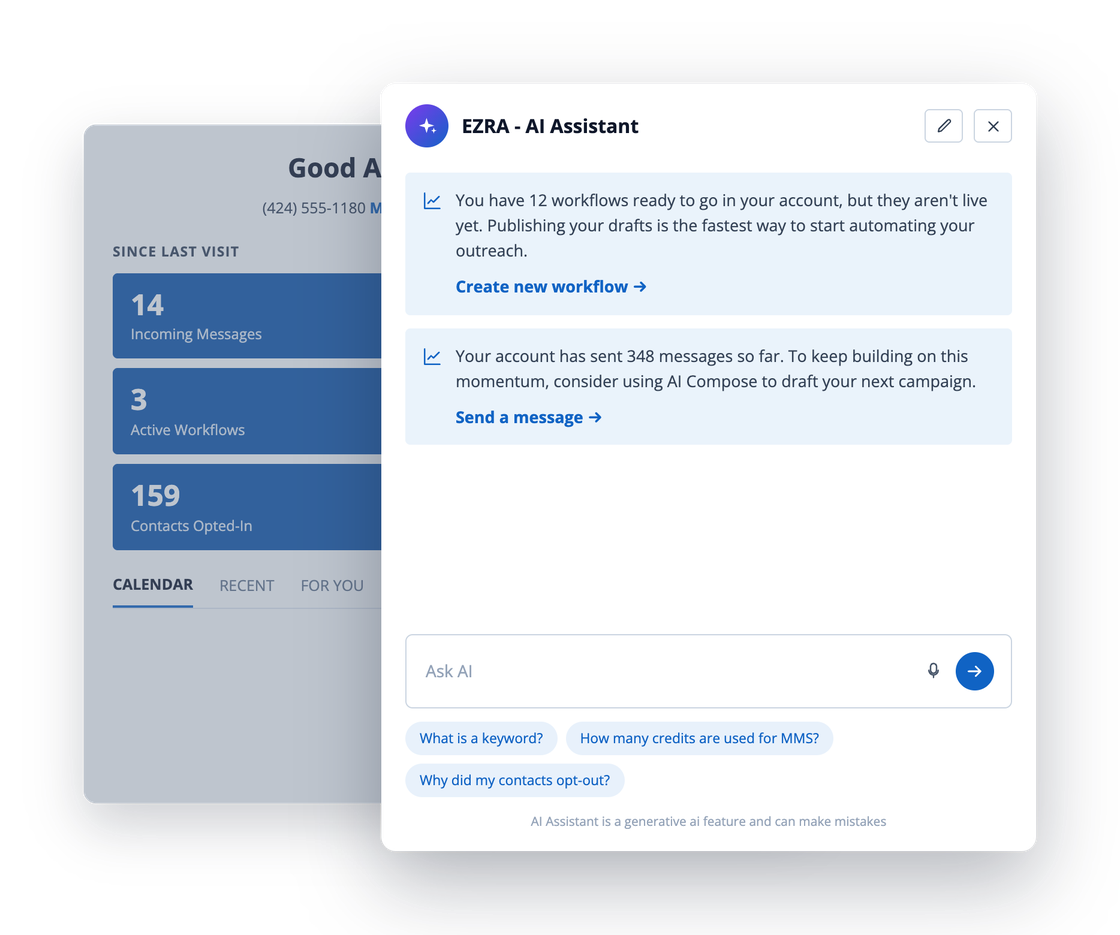
EZ Texting is the AI-powered SMS marketing platform for small businesses. Use AI to write messages, automate follow-up sequences, and personalize campaigns at scale, then send to your entire list in minutes from a registered business number. The 48 features below fall into five stages. Most businesses launch with the first six and see results the same day.
Stage 1
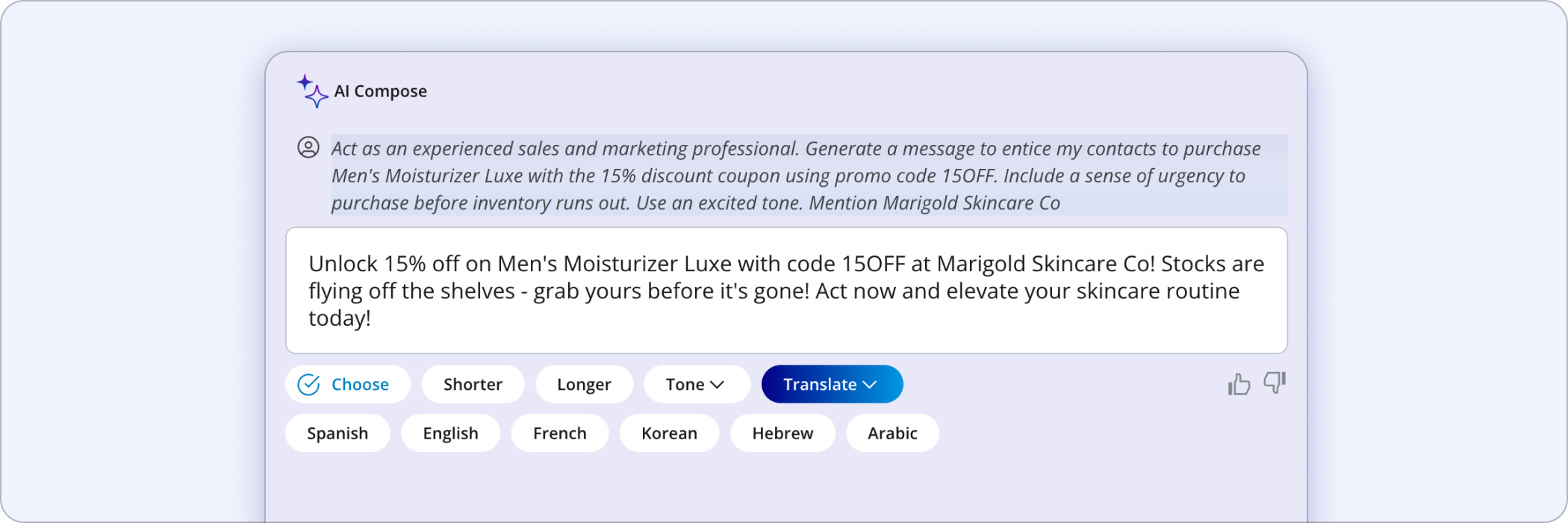
Write it with AI
Three AI features write the first draft, answer replies, and translate other languages, so you never start from a blank message box.
Stage 2
Send your first campaign
With these six features you can send one message to many people, handle the replies, and let new people join your list.
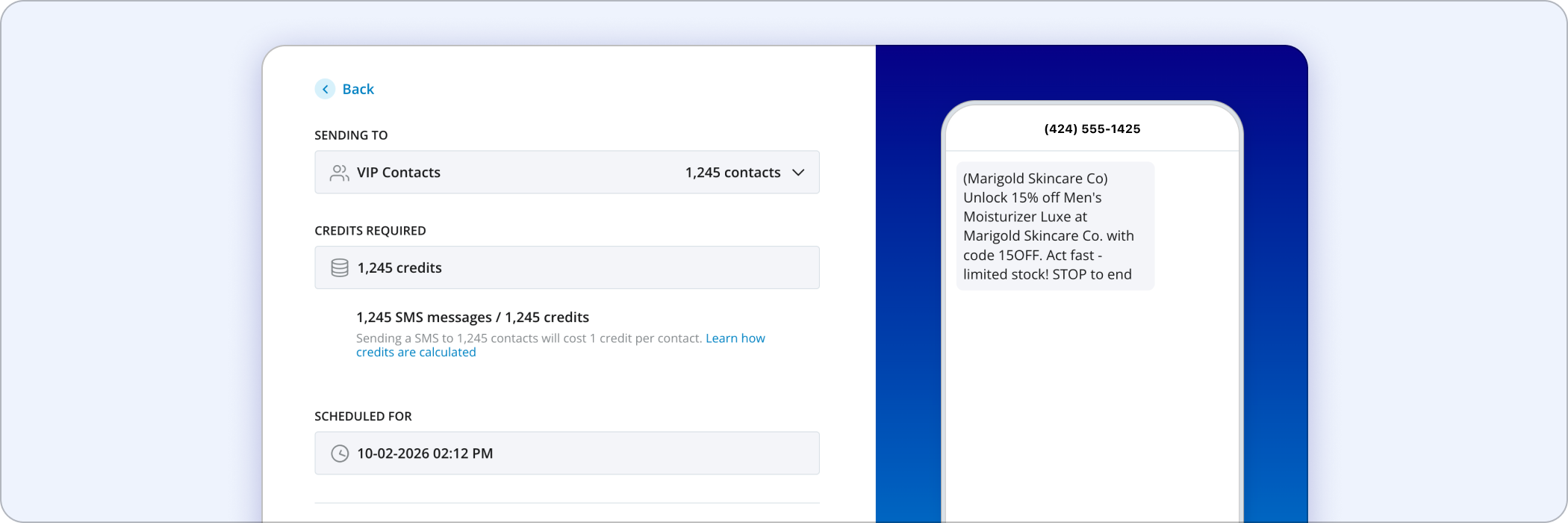
Mass Texting
Send one message to your whole list, or to any segment of it, at once.
Two-Way Texting
Have one-to-one conversations with the contacts who reply.
Keywords
Let people join your list by texting a single word to your number.
MMS Messaging
Attach images, audio, or video to a text message.
Sign-Up Forms
Embed forms on your website that collect opt-ins.
Scheduled Texts
Queue a message now and let it send at the date and time you choose.
Stage 3
Make it a habit
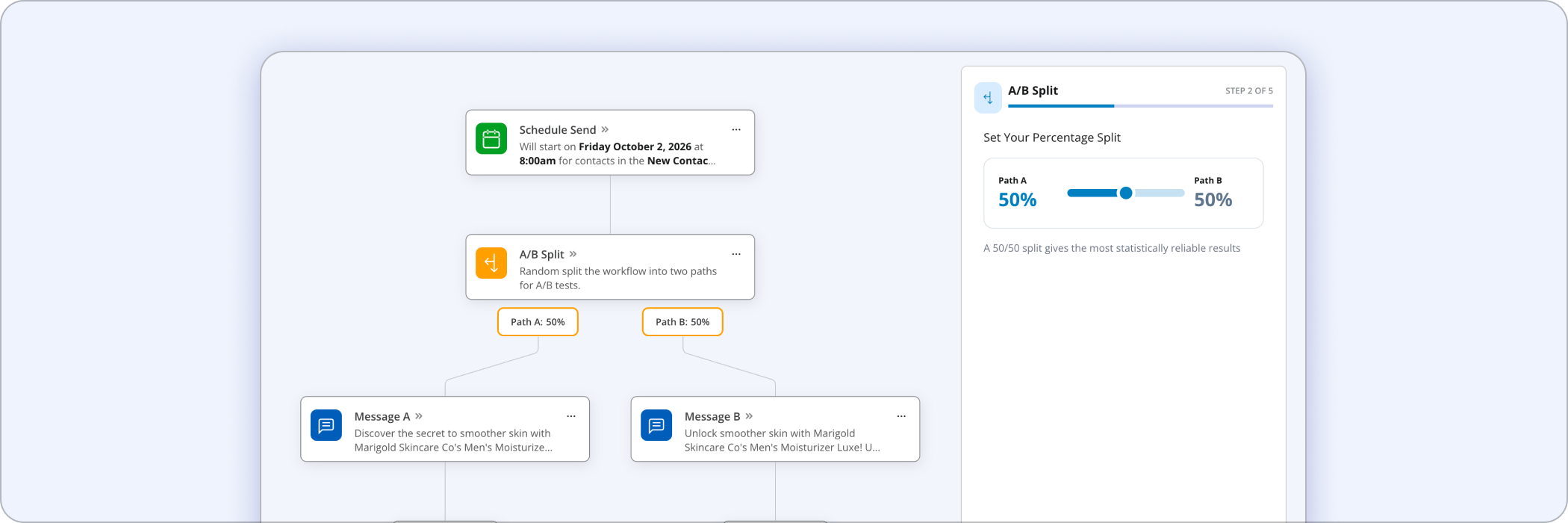
These features keep a campaign running every week without you rebuilding it each time.
Auto-Replies
Send an automatic response the moment someone texts your number.
Workflows
Chain triggers, waits, and messages into multi-step automations.
Reporting and Analytics
See delivery, click, and reply performance for every campaign you send.
Message Templates
Save the message formats you reuse and remix them for each send.
Link Tracker and Shortener
Shorten URLs to save characters and see who clicked them.
QR Codes
Generate scannable codes that add people to your list from print or screen.
Recurring Texts
Set a message to repeat on the schedule you define.
Stage 4
Add payments, segments, and CRM sync
Take payments by text, send the right message to each segment, sync contacts with your CRM, and send richer, branded messages.
Text-to-Pay
Send a payment link secured by Stripe so customers can pay in a few taps.
Contact Segmentation
Organize contacts into groups, tags, and filters so you can target the right people.
HubSpot Integration
Sync contacts and trigger texts from your HubSpot CRM.
Mailchimp Integration
Connect texting to the audiences and workflows you already run in Mailchimp.
Contact Card Creator
Send a branded contact card so your number saves under your business name.
RCS Messaging
Send richer, branded messages to supported devices.
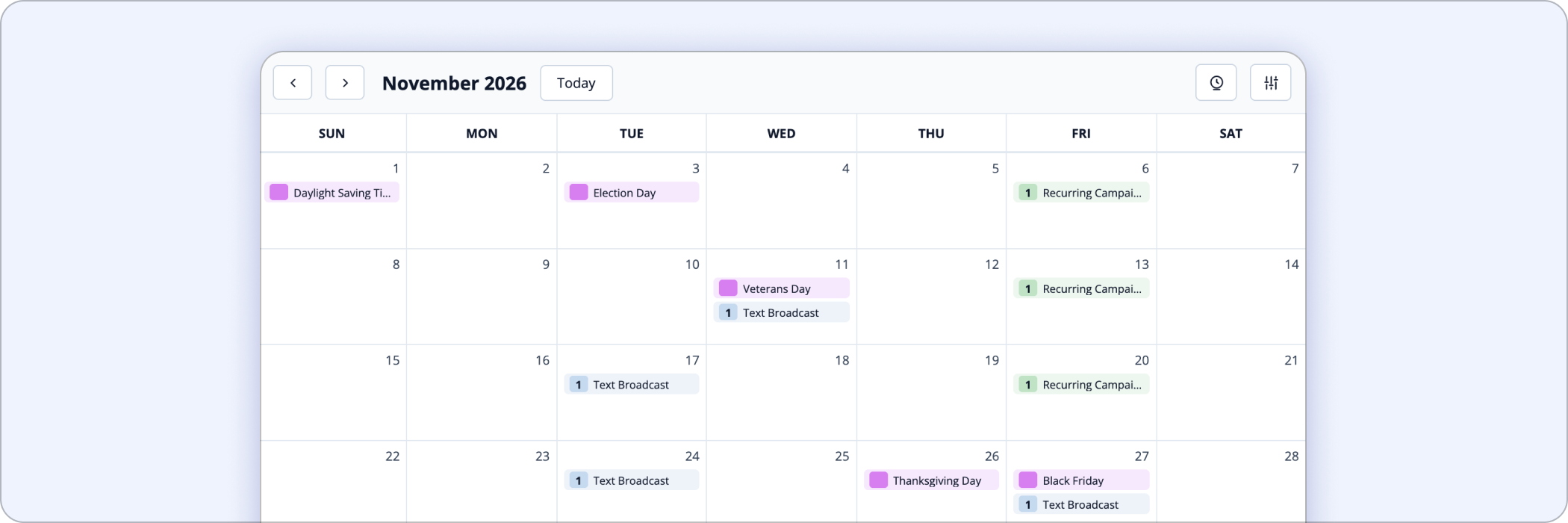
Campaign Calendar
See every scheduled campaign laid out in one calendar view.


Stages 1 to 4 give you a complete text program with 23 features.
Stage 5 holds the features you might need later. You can start without it.
Stage 5
Run it at scale
Account controls, team permissions, integrations, number types, and compliance. It helps to know these exist, but you don't need to decide on them today.
Operational controls 12 features. Contacts, credits, team, and mobile access.
Manage your account, contacts, and team.
Unlimited Contacts
Store as many contacts as you need, with no cap on list size.
Click-to-Text Button
Generate a link or button that opens a pre-filled text on a visitor's phone.
Rollover Credits
Credits you do not use carry into your next billing cycle.
Smart Contact Cleaner
Find and remove duplicate or invalid records from your contact list.
Media Library and Image Editor
Browse a stock image library and edit images before you attach them.
Mobile App
Send, reply, and check reports from your phone.
Contact Profiles
Keep names, emails, and message history on every contact record.
Custom Contact Fields
Add your own fields, such as birthday, location, or preferred language.
Auto-Refill Credits
Top your credit balance back up automatically when it runs low.
Bulk Uploads
Import many contacts at once from a file instead of one at a time.
Team Inbox
One shared inbox so your team can answer incoming texts together.
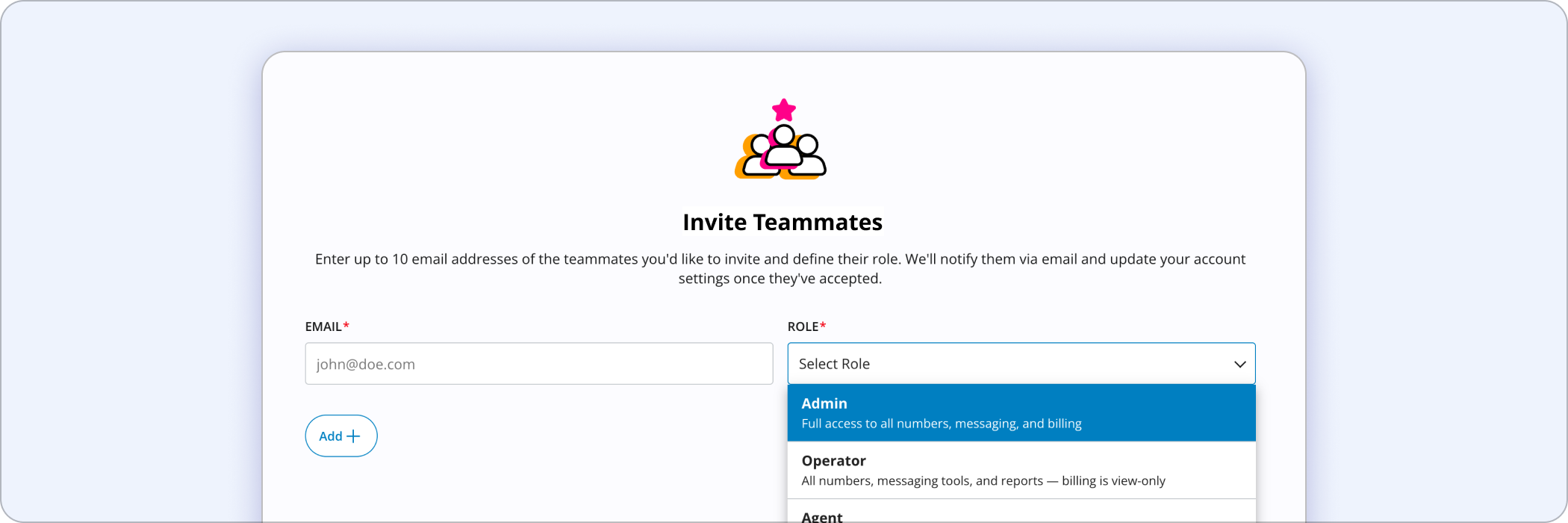
Teammate Manager
Assign roles and permissions to the people on your account.
Your stack, numbers, and compliance 13 features. Integrations, number types, API, and registration.
Integrations, number types, compliance, and API access.
Zapier
Connect EZ Texting to hundreds of other apps without writing code.
Constant Contact
Run texting alongside the email lists you keep in Constant Contact.
Squarespace
Connect your Squarespace forms and store to your text list.
Drip Campaigns
Send a timed sequence of messages after someone joins your list.
Text Forwarding
Forward incoming texts to another number or to an email address.
Managed Accounts
Administer multiple user accounts from a single place.
Trust and Compliance A2P Registration
Register your business and your campaign so carriers will deliver your messages.
Toll-Free Number
Send and receive from a verified toll-free number.
Text-to-Landline
Make the landline number you already publish able to send and receive texts.
Age Verification
Confirm contact age where your category requires it before you message.
Voice Call Forwarding
Route calls placed to your text number to a phone you actually answer.
SMS API
Trigger texts and sync contacts directly from your own systems.
Dedicated Short Code
Send from a short, memorable number built for sustained high volume.

Stage one takes about ten minutes.
Draft a message with AI Compose, send it with Mass Texting, and handle the replies in Two-Way Texting. The other four stages are waiting when you want them.
Start free, then choose a plan when you are ready.
Frequently Asked Questions
Yes. Business text traffic in the United States runs over application-to-person (A2P) routes, and carriers require your brand and your campaign to be registered before they will deliver reliably. EZ Texting handles this registration as part of account setup. Your part is filling in a form. You can read the details on our compliance pages.
Often yes. If you publish a landline, text-enabled landline makes that same number able to send and receive messages, so customers can text the number already on your signage and invoices. If you would rather have a separate number, you can use a registered 10-digit number, a toll-free number, or a dedicated short code.
There are four common routes and you can run all of them at once. People can text a keyword to your number, fill in an embeddable sign-up form on your website, scan a QR code, or be added from a file you upload with consent already collected. Whichever route they use, the opt-in is recorded against their contact profile.
No. EZ Texting is built for non-technical users, and every feature listed on this page is available from the web app and the mobile app. If you do want programmatic control, the SMS API and the Zapier integration are there, but neither is required to send your first campaign.
SMS, MMS, and RCS differ by what they can carry and which phones can receive them. SMS is plain text, MMS adds media, and RCS adds branding and interactivity on supported devices.
SMS reaches essentially any mobile phone, which makes it the most dependable choice for reminders, alerts, and short confirmations.
MMS attaches an image, a GIF, or a video and allows a longer message, so it suits promotions and product announcements where the visual does the work.
RCS carries verified business branding, richer media, and tappable buttons. Whether it arrives depends on the phone and carrier on the receiving end, and when RCS is unavailable the message falls back to SMS or MMS.
RCS is the upgraded texting standard that adds verified branding, richer media, and tappable buttons to an ordinary text thread. Whether a customer receives it depends on their own phone and carrier. Android has supported RCS through Google Messages for some time, and iPhone support arrived with iOS 18. If a phone cannot receive RCS, the message falls back to SMS or MMS.
Unused credits roll over into your next billing cycle rather than expiring at the end of the month. Auto-refill can also top your balance back up automatically when it runs low, so a large send does not stop halfway. Credit allowances vary by plan.
The seven most common are appointment reminders and confirmations, promotions and limited-time offers, customer service conversations, payment and donation requests, recurring notices and updates, internal messaging to staff who are not at a desk, and review or feedback requests. Most businesses start with one and add others as the list grows.
There are five practical routes: publish a keyword people can text you, embed a sign-up form on your website, print a QR code on physical materials, add a click-to-text button to your site, and bulk upload contacts you have already collected consent from. Each one records a documented opt-in against the contact profile.
AI Compose, Mass Texting, and Two-Way Texting are enough to send a real campaign and handle the replies. After those, add Keywords and Sign-Up Forms so the list grows on its own, then Scheduled Texts and Auto-Replies to stop doing things manually, then Reporting and Analytics so your second send improves on your first.
